
Dr.Web Link Checker Chrome 插件, crx 扩展下载
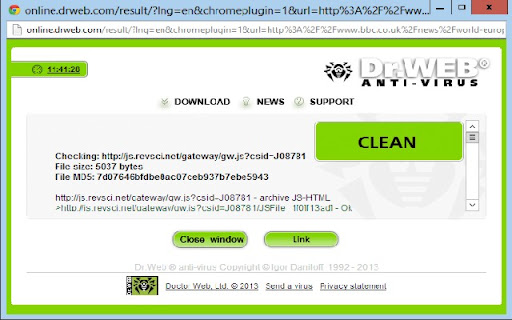
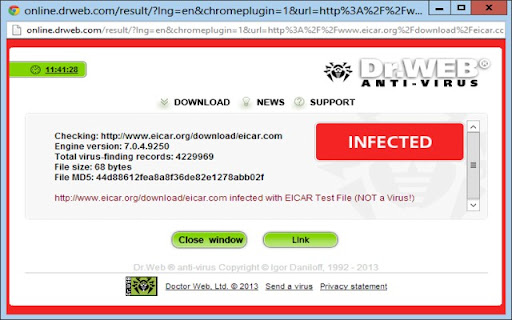
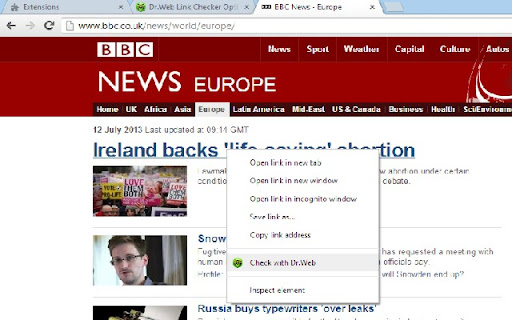
Dr.Web antivirus extension for link scanning from the context menu. Protects against malware and phishing attacks on social media.
Dr.Web Link Checker is a free extension for Google Chrome that can instantly scan webpages and files downloaded from the Internet, and block website attempts to monitor user activity and display advertisements.
If, for some reason, you have not yet entrusted Dr.Web products to defend your computers, use Dr.Web Link Checker, and surf the World Wide Web without fear of virus attacks, phishing attempts, and annoying ads!
Dr.Web Link Checker’s automatic features
• Dr.Web antivirus extension for scanning links. Accessible from the context menu. Protects against phishing attacks and malware infections on social networks.
• Blocks attempts to monitor user Internet activity, including on social networks. Blocks all the most common ad network resources and web behaviour analytics that allow user search requests and visited sites to be analysed and the resulting collected data to be used to display specific ads to users.
• Blocks ads (social network advertising plugins embedded in pages of third-party sites, ad networks, flash banners and videos, and separate ad units on a page). User-created site exceptions lists indicate which sites can display ads.
User-requested scanning
for phishing attempts, malware, unwanted or non-recommended sites
• Scans links before visiting a site
• Scans files (up to 12 MB in size) before downloading them from the Internet
• Checks links in e-mail messages processed by Mozilla Thunderbird
Other features
• Detects and checks malformed links
• Sends requests to add specific advertising sites into the Dr.Web database
| 分类 | 👥社交 |
| 插件标识 | aleggpabliehgbeagmfhnodcijcmbonb |
| 平台 | Chrome |
| 评分 |
☆☆☆☆☆
|
| 评分人数 | |
| 插件主页 | https://chromewebstore.google.com/detail/drweb-link-checker/aleggpabliehgbeagmfhnodcijcmbonb |
| 版本号 | 7.0.9 |
| 大小 | 444KiB |
| 官网下载次数 | 100000 |
| 下载地址 | |
| 更新时间 | 2022-07-19 00:00:00 |
CRX扩展文件安装方法
第1步: 打开Chrome浏览器的扩展程序
第2步:
在地址栏输入: chrome://extensions/
第3步: 开启右上角的【开发者模式】
第4步: 重启Chrome浏览器 (重要操作)
第5步: 重新打开扩展程序管理界面
第6步: 将下载的crx文件直接拖入页面完成安装
注意:请确保使用最新版本的Chrome浏览器