
2048 Game Chrome 插件, crx 扩展下载

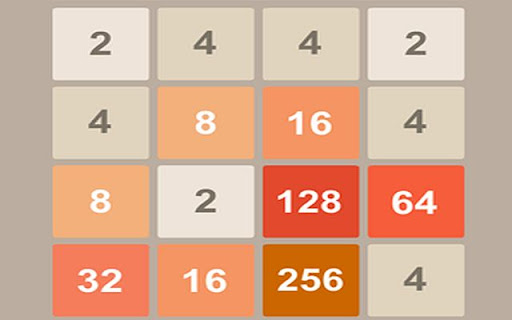
2048 - Now You Can Play The Famous 2048 Puzzle Game Directly From Chrome Browser!
The 2048 addictive puzzle game is at your chrome browser, and it's totally free!
Now you can play 2048 game directly from your browser with a single click only! We promise you that the 2048 game/extension will always be free, and you could play as much as you want, no limits whatsoever! The only thing you need to do is to install it and click on the icon, then the puzzle game will open.
How To Play 2048?
Use your arrow keys to move the tiles. When two tiles with the same number touch, they merge into one!
The purpose of 2048 is: (Be surprise ---- get to the 2048 tile!)
If you like it or have any issues, founds bugs or stuff like that - please leave a review or leave a comment, we are always trying to get better :)
| 分类 | 🎉趣味休闲 |
| 插件标识 | fkceepiaefcdabdbnecamhdgkjenghkk |
| 平台 | Chrome |
| 评分 |
☆☆☆☆☆
|
| 评分人数 | |
| 插件主页 | https://chromewebstore.google.com/detail/2048-game/fkceepiaefcdabdbnecamhdgkjenghkk |
| 版本号 | 1.1.0.52 |
| 大小 | 61.42KiB |
| 官网下载次数 | 30000 |
| 下载地址 | |
| 更新时间 | 2021-06-03 00:00:00 |
CRX扩展文件安装方法
第1步: 打开Chrome浏览器的扩展程序
第2步:
在地址栏输入: chrome://extensions/
第3步: 开启右上角的【开发者模式】
第4步: 重启Chrome浏览器 (重要操作)
第5步: 重新打开扩展程序管理界面
第6步: 将下载的crx文件直接拖入页面完成安装
注意:请确保使用最新版本的Chrome浏览器