
Bulk Image Downloader Chrome 插件, crx 扩展下载

Integrates Bulk Image Downloader (a Windows only app that must be installed separately) with Chrome
Please note that BID is not a freeware application. The trial version of BID may be used for free for as long as you like but it has some limitations. Purchase a registration code to unlock full functionality. BID normally costs $39.95 but discounts are often available at bulkimagedownloader.com. Please visit bulkimagedownloader.com for more information.
Bulk Image Downloader (BID) makes it easy to download full sized images from almost any thumbnailed web gallery. Supports most popular image hosts such as imagevenue, imagefap, flickr and too many others to list here.
This extension adds a button to Chrome allowing you to quickly open the current web page with BID. It also adds BID menu items to Chrome's right click context menu allowing you to open the current page with BID, open the selected link with BID, or send the current page or link to the BID Queue Manager.
--- KEYBOARD SHORTCUTS ---
Alt+Shift+C = Open current page with BID
Alt+Shift+Q = Enqueue current page with BID
Alt+Shift+X = Open current page with BID Link Explorer
BID Context menu shortcuts now have single letter shortcuts to allow quick selection after opening the context menu.
Right click on page, then press D, C = Open current page with BID
Right click on page, then press D, Q = Enqueue current page with BID
Right click on page, then press D, X = Open current page with BID Link Explorer
Right click on link, then press D, D = Open link target with BID
Right click on link, then press D, E = Enqueue link target with BID
IMPORTANT: This extension requires the Bulk Image Downloader Windows application to be installed - download it from http://bulkimagedownloader.com
| 分类 | 🛠️工具 |
| 插件标识 | facoldpeadablbngjnohbmgaehknhcaj |
| 平台 | Chrome |
| 评分 |
★★★☆☆
3.4
|
| 评分人数 | 506 |
| 插件主页 | https://chromewebstore.google.com/detail/bulk-image-downloader/facoldpeadablbngjnohbmgaehknhcaj |
| 版本号 | 6.17.0.2 |
| 大小 | 42.66KiB |
| 官网下载次数 | 60000 |
| 下载地址 | |
| 更新时间 | 2024-02-27 00:00:00 |
CRX扩展文件安装方法
第1步: 打开Chrome浏览器的扩展程序
第2步:
在地址栏输入: chrome://extensions/
第3步: 开启右上角的【开发者模式】
第4步: 重启Chrome浏览器 (重要操作)
第5步: 重新打开扩展程序管理界面
第6步: 将下载的crx文件直接拖入页面完成安装
注意:请确保使用最新版本的Chrome浏览器
同类插件推荐

小乐图客(ZIG)
高效图片批量下载器,支持选择区域截图,当前页面截图,整个页面截图,并且插件集成了多个网站的智能脚本,

OneClick Picsaver
Save images from any web-page in one click. Extens

Image Downloader
Browse and download images on the web? Image Downl

Bulk Image Downloader
Simple bulk image download extension, filter by re
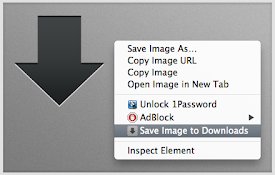
Save Image to Downloads
Adds a right-click direct download item for images

Double-click Image Downloader
Double-click any image to download it quickly and

Image Downloader Continued
Browse and download images on a web page.Image Dow

Image Downloader
Filter, sort, choose and save any image from any t

Image downloader
Chrome extension for downlading images.It helps yo

Bulk Image Downloader
Integrates Bulk Image Downloader (a Windows only a

Download All Images
Save all images in active tab as .zip file. Easily

Download All Images
Easily save images with a wide range of customizat

批量图片下载器 - Imageye
一款用于嗅探、分析网页图片并提供批量下载等功能的浏览器扩展程序。使用批量图片下载器在网页上查找并下载