
Detect Font Chrome 插件, crx 扩展下载

Detect fonts used in web pages
"What's that gorgeous font?", you ask... Well, now you'll know!
Click the icon in the browser toolbar to activate font detection mode, and hover over parts of the page to reveal which font is being used.
Unlike other font-detecting extensions, this won't ask for full access to every website you visit. It's only activated when you press the button in the toolbar, so you stay in control of your privacy.
| 分类 | 💻开发者工具 |
| 插件标识 | mpljfgaicpdodihppfoolcididbkalce |
| 平台 | Chrome |
| 评分 |
★★★☆☆
3.8
|
| 评分人数 | 260 |
| 插件主页 | https://chromewebstore.google.com/detail/detect-font/mpljfgaicpdodihppfoolcididbkalce |
| 版本号 | 1.1 |
| 大小 | 12.29KiB |
| 官网下载次数 | 2000 |
| 下载地址 | |
| 更新时间 | 2023-10-19 00:00:00 |
CRX扩展文件安装方法
第1步: 打开Chrome浏览器的扩展程序
第2步:
在地址栏输入: chrome://extensions/
第3步: 开启右上角的【开发者模式】
第4步: 重启Chrome浏览器 (重要操作)
第5步: 重新打开扩展程序管理界面
第6步: 将下载的crx文件直接拖入页面完成安装
注意:请确保使用最新版本的Chrome浏览器
同类插件推荐

Fontsnatcher
Discover the fonts used on the webEver visited a w

Find Font
Define any font on the page.We offer you our new u

Font Family Changer for AppsScript
This extension change the font family of the googl

字体检测
检测网页字体字体探测可以非常快速的识别网站所用的字体,只需把鼠标放在需要识别的字体上,就可以显示出该
Detect Font
Detect fonts used in web pages"What's tha

Font Finder
Lets you know what font is used on any websiteClic
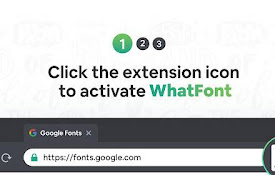
What Font - find font
Lets you know what font is used on any website어떤 웹
什么字体 - 找字体
让你知道任何网站上使用的是什么字体What Font allows you to know the

字体查找器
图像,文本和网站的字体查找器检查字体家庭,大小,高度Install the Font Finder

WhatFont - 什么 html 字体
WhatFont帮助你识别网页上的字体、html字体大小、颜色、字体系列使用 What font c

What Font - 字體查找器
什麼字體? 輕鬆識別網頁上的字體、html 字體大小、顏色和字體系列。許多網站都使用瞭如此多的精美字

Font Detector
Detects font properties and stylesOn any page, cli
适用于 Google Chrome™ 的字体查找器
易于检查,找到任何网站上使用的字体名称是否想了解特定网站使用的字体? 只需安装我们用于Google