RoGold Ultimate - Roblox Enhancer Chrome 插件, crx 扩展下载

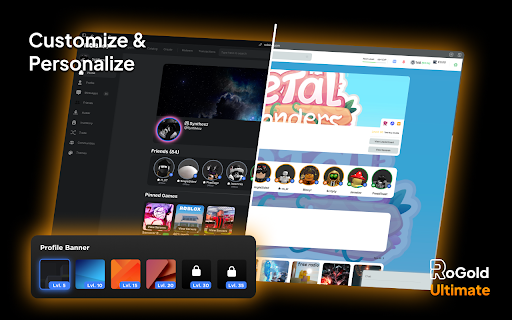
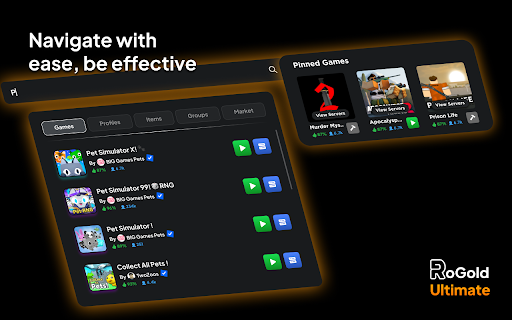
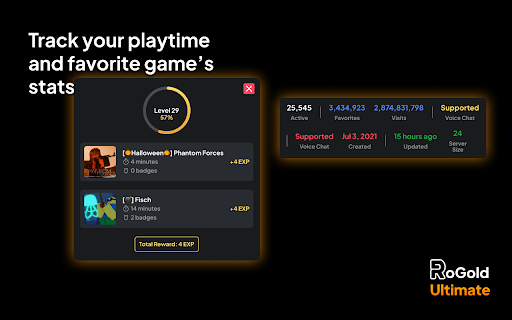
Transform your Roblox experience with RoGold Ultimate - Unleash advanced customization, streamlined gameplay, and exclusive insight.
NOTE: To use this extension you must first purchase a key from rogold.live!
Step up your Roblox journey with RoGold Ultimate – the definitive extension for those seeking the best Roblox enhancements and exclusive features. Tailored for both seasoned players and passionate developers, RoGold Ultimate completely changes your Roblox experience.
Key Features:
? Profile Customization: Personalize your profile with customizable avatar homes, borders, and banners.
? Revamped User Interface: Dive into Roblox with a refreshed and user-friendly interface that simplifies navigation and your experience.
? Leveling System: Get rewarded for your dedication! Track your playtime, earn levels, and view your progress directly on your homepage.
? Server Regions: View the region of servers for a game, and see which server you are joining, when joining any game, from anywhere!
? Studio Plugin & Desktop App: Supercharge your Development Experience with our exclusive tools, designed to streamline and enhance your creative process. (Developer Edition, Coming Soon!)
... and a TON of other features waiting to be explored!
Distinguish yourself from the crowd and unleash new capabilities with RoGold Ultimate. Whether you're a casual player aiming for the best possible experience or a developer crafting the next Roblox sensation, this extension is your ticket to an unrivaled experience.
For more information, exclusive offers, and a supportive community, join our Discord or visit our official website.
| 分类 | ♿无障碍访问 |
| 插件标识 | namkakclifhmccmkbeddddpjegmdimed |
| 平台 | Chrome |
| 评分 |
★★★★☆
4.2
|
| 评分人数 | 5419 |
| 插件主页 | https://chromewebstore.google.com/detail/rogold-ultimate-roblox-en/namkakclifhmccmkbeddddpjegmdimed |
| 版本号 | 1.6.3 |
| 大小 | 1.44MiB |
| 官网下载次数 | 40000 |
| 下载地址 | |
| 更新时间 | 2025-02-25 00:00:00 |
CRX扩展文件安装方法
第1步: 打开Chrome浏览器的扩展程序
第2步:
在地址栏输入: chrome://extensions/
第3步: 开启右上角的【开发者模式】
第4步: 重启Chrome浏览器 (重要操作)
第5步: 重新打开扩展程序管理界面
第6步: 将下载的crx文件直接拖入页面完成安装
注意:请确保使用最新版本的Chrome浏览器