
Spellex Write-Assist for Chrome Chrome 插件, crx 扩展下载
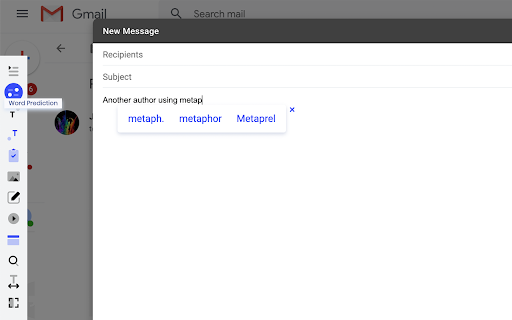
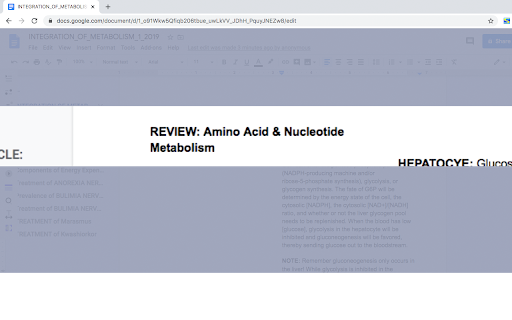

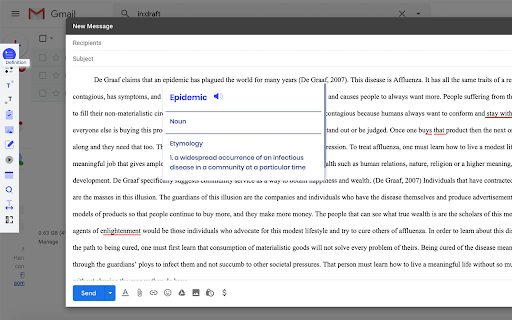
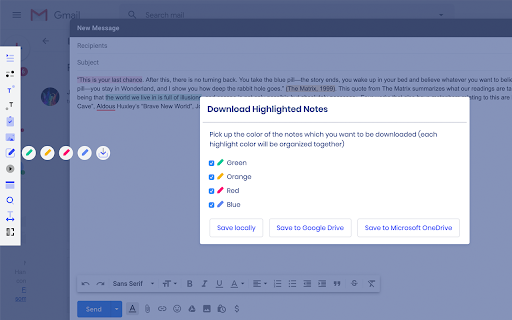
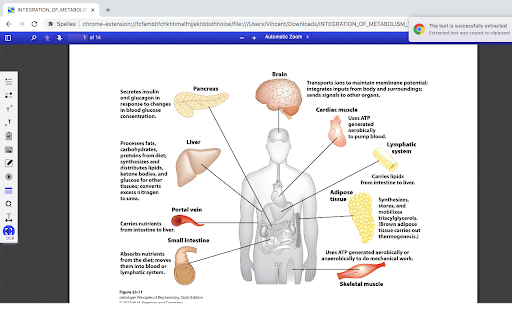
Spellex for Chrome is a complete assistive technology literacy toolbar to help improve reading, writing, and speech comprehension.
Assistive technology toolbar that includes:
• Advanced spell checking with vocabularies for healthcare, law, biosciences, veterinary studies, and more!
• Word prediction to support typing efficiency!
• Speech-to-text to allow for voice dictation across the web!
• Text-to-speech offers human voice read back of any text that can be highlighted!
• Ability to highlight notes, color coordinate them and save to a PDF file locally or to cloud services for offline reviewing!
• Word definition support with extensive etymology and audio pronunciation!
• Screen masking and magnification reading ruler to improve reading comprehension by focusing only on the selected text!
• Special type font designed specifically for individuals with dyslexia!
• Picture dictionary to assist with word comprehension!
• Collaborative audio notes in Google Docs!
• PDF tools which include built-in OCR support!
• Ability to highlight and translate words or paragraphs in Spanish, German, or French!
• Quick search features to support research and distraction-free studies!
• Premium features are free to use for 14 days.
| 分类 | ♿无障碍访问 |
| 插件标识 | nclbdenibannopngkgdpemcmleninpdp |
| 平台 | Chrome |
| 评分 |
★★☆☆☆
2.3
|
| 评分人数 | 3 |
| 插件主页 | https://chromewebstore.google.com/detail/spellex-write-assist-for/nclbdenibannopngkgdpemcmleninpdp |
| 版本号 | 1.5.5 |
| 大小 | 3.68MiB |
| 官网下载次数 | 365 |
| 下载地址 | |
| 更新时间 | 2025-01-15 00:00:00 |
CRX扩展文件安装方法
第1步: 打开Chrome浏览器的扩展程序
第2步:
在地址栏输入: chrome://extensions/
第3步: 开启右上角的【开发者模式】
第4步: 重启Chrome浏览器 (重要操作)
第5步: 重新打开扩展程序管理界面
第6步: 将下载的crx文件直接拖入页面完成安装
注意:请确保使用最新版本的Chrome浏览器
同类插件推荐

Type Assist
Auto suggests words when you are typing. Just like

SpeakMagic - Speech to Text
Transcribe, edit, and format speech easily in the
vx
This extension listens to you and copies what you

Idiom
Idiom helps you read foreign-language websites. T

TypeLikeMe Typing Assistant
Chrome extension for leveraging text predictions b
Smoothie: Type Faster on Any Website
Type faster with AI sentence predictions and custo

Spellex Write-Assist for Chrome
Spellex for Chrome is a complete assistive technol
Write Better
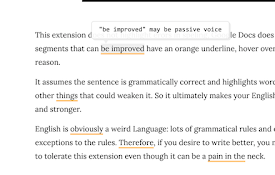
English grammar suggestions for better writingA na
WProofreader: AI grammar check & rewrite tool
Correct texts and rephrase content with WProofread

ChatGPT Webpage Summarizer
Summarize web pages using OpenAI's GPT-4 model

Cognizer Genius
AI to Discover What’s Important. InstantlyGenius d

Contentyze
Writing Made EasySave time by summarising long tex

Pro-Study Online
Extension to capture data for Pro-Study Online.You